 Nano Banana Video

Nano Banana Video Generator for Product Ads & UGC Clips
Turn one Nano Banana image into TikTok, Meta, Reels, Shopify and landing-page videos - fast, platform-ready, and easy to test.
One image invideo out
UGC styles& product demos
No camerano studio
What can you create?
From quick social clips to high-converting product videos.
UGC Product Clips
Authentic creator-style videos that build trust and drive sales.
Product Demos
Show features, texture, and benefits in clear, engaging demos.
Shopify & DTC Ads
Scroll-stopping ads built for conversions across channels.
Social Media Content
TikTok, Reels, Shorts-ready videos in seconds, every time.
Image Animation
Bring any image to life with motion, zooms, and transitions.
Video Restyle
Change style, mood, and format without reshooting.
Why video
Why Turn Nano Banana Images into Video?
A strong Nano Banana image already has the visual style. Video adds the motion, pacing, and platform format needed for ads, product pages, and social posts.
Try a 5-second variantShow texture, use, and material instead of a flat still.
Try a 5-second creative direction before a paid shoot.
Use your Nano Banana image as the anchor for consistency.
Test hooks, camera moves, backgrounds, and endings.
Spend more only after the motion and format work.
Who Is Nano Banana Video For?
Choose the workflow by the job you need done, not by model jargon.
Ecommerce Sellers
Have: Product photos and marketplace images
Need: TikTok and Meta product ads
Success: The product is clear in the first seconds
DTC & Shopify Brands
Have: Product renders, campaign stills, SKU photos
Need: Many ad variants without a full shoot
Success: Multiple concepts ready for testing
UGC Creators & Marketers
Have: A product idea, creator angle, rough script
Need: Social-native product demos
Success: The clip feels casual, useful, and native
AI Creators & Indie Makers
Have: Characters, figurines, mockups, launch visuals
Need: Short clips for social and landing pages
Success: Original visual identity stays intact
Where to use Nano Banana Video
Optimized for the platforms and channels that convert.
TikTok Ads
9:16 verticalShort-form discovery that drives action.
Instagram Reels
9:16 verticalEngage your audience with quick, native clips.
Facebook & Instagram
1:1 or 4:5Reach more shoppers with thumb-stopping ads.
Shopify
16:9 or 1:1Product pages, landing pages, and collections.
YouTube Shorts
9:16 verticalShorts that grow subscribers and sales.
Email & SMS
16:9Drive clicks with short, compelling videos.
Real product video formats worth testing.
Each example connects an input image, prompt direction, settings, and output style so the workflow feels reproducible.

Glowtique
Bakuchiol Face Serum
First-person bathroom UGC, dropper texture close-up, natural skin glow, no brand text, honest creator style.
9:16, 5sUGC product demo
Platform: Meta Ads
Stride Lab
CloudStep Sneakers
Vertical try-on reel, slow walk-in camera, natural fabric and shoe movement, clean mirror framing.
9:16, 5sTry-on product hook
Platform: TikTok
Maison Lumi
Sandalwood Candle
Warm landing-page product loop, polished reveal, packaging clarity, low-distraction final hero frame.
16:9, 8sLanding-page loop
Platform: ShopifyHow the Nano Banana Video Workflow Works
Upload a reference, choose the job, describe motion, then generate a short variant you can review and test.
Pricing
Credits for Real Video Tests
Buy credits when you are ready to submit real video tasks. Previews and prompt shaping stay available before spending provider budget.
Use Cases
Nano Banana Video Workflows in Detail
Each use case has a different input, motion style, prompt focus, and recommended setting. Use these modules to choose the right Nano Banana video workflow before creating a real task.
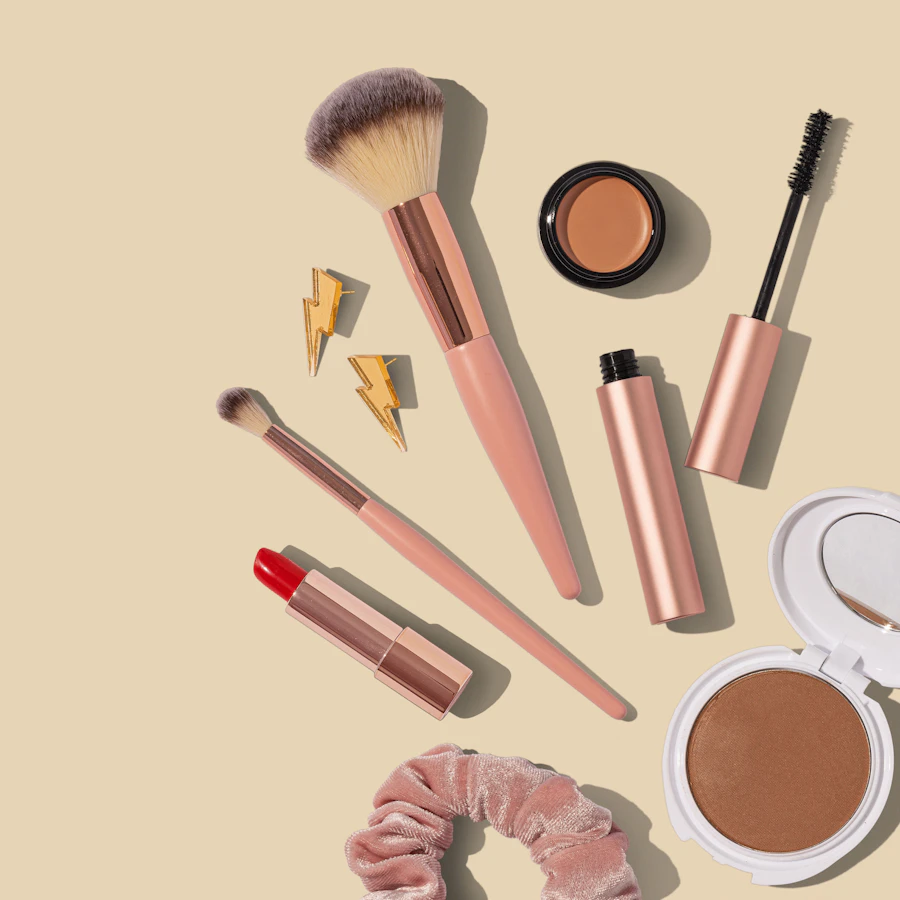
9:16 · Product ad
Product Ads from a Single Nano Banana Image
The strongest commercial use case for a Nano Banana video generator is a short product ad. A user may already have a product image, package mockup, or Nano Banana style render that looks good as a still frame. The better workflow is image-to-video: keep the product recognizable, add controlled camera motion, and finish on a clean frame that can hold ad copy.
Best for
Beauty products, gadgets, packaging shots, ecommerce hero images, Meta ads, TikTok ads, and quick product demo tests.
Prompt focus
Mention product clarity, close-up detail, packaging readability, lighting, camera movement, platform format, and the final hero frame.
Recommended setting
Start with 5 seconds, 9:16, 1080p. Try 8 seconds only after the hook and product reveal work.

9:16 · UGC hook
UGC-Style Short Videos
UGC-style video is different from a polished studio render. The goal is a clip that feels like a creator is holding, testing, or revealing the product. The input can still be one Nano Banana style image, but the prompt should ask for handheld movement, natural light, a quick first-second hook, and a casual reveal.
Best for
Creator-style ads, social proof clips, app promos, beauty demos, direct-response tests, and landing page video variations.
Prompt focus
Ask for a handheld camera, small push-in, slight hand movement, natural room light, casual pacing, and a clear product moment.
Recommended setting
Use 9:16, 5-8 seconds, and simple motion. Avoid overcomplicated scenes that make the result feel fake.
Turntable · Figurine
3D Figurine and Collectible Motion
Many Nano Banana users create toy-like characters, miniatures, collectibles, or stylized product figures as images first. Video generation should preserve the material and shape instead of reinventing the object. The best motion is usually simple: a turntable rotation, slow camera slide, display case reveal, or subtle depth-of-field shot.
Best for
Collectible figures, toy-style avatars, product miniatures, character mockups, display case shots, and premium object previews.
Prompt focus
Mention toy-like material, stable shape, smooth rotation, premium display lighting, shallow depth of field, and a clean cinematic finish.
Recommended setting
Use 5 seconds first. If the object warps, shorten and simplify the prompt instead of adding more detail.

9:16 · Pet & fashion
Pet Reels and Fashion Motion
Pet and fashion clips are not the same as product ads. Subject identity matters more than sales copy. For pets, the goal is gentle motion: blinking, a small head tilt, soft camera zoom, natural light, and a cute social rhythm. For fashion, the goal is fabric movement, a model-like camera path, clean background, and a polished vertical composition.
Best for
Pet portraits, lifestyle reels, fashion lookbooks, outfit previews, model shots, and social posts that need soft motion.
Prompt focus
For pets, ask to preserve identity and avoid dramatic transformation. For fashion, focus on fabric flow, outfit consistency, and studio camera movement.
Recommended setting
Use 9:16 for reels. Keep motion subtle so the subject remains recognizable and the video does not feel overgenerated.
V2V · Restyle
Video-to-Video Restyle and Prompt Testing
Some users do not start from a still image. They already have a short clip and want a Nano Banana inspired restyle. In video-to-video, the original timing, camera movement, and action are the anchor. The prompt should ask for a new style or texture while preserving motion.
Best for
Ad refreshes, style tests, short film looks, creator variations, existing product clips, and comparing prompts before spending credits.
Prompt focus
Describe the new visual style, mood, texture, lighting, and what should stay unchanged from the source video.
Recommended setting
Test prompts before generating. Compare 5, 8, and 10 second versions, then choose 720p drafts or 1080p review outputs.
16:9 · Explainer
Landing Page Explainers and App Demo Clips
Another real search intent is not pure entertainment. A founder, affiliate marketer, or solo builder may need a short visual clip for a landing page, product hunt post, or SaaS feature announcement. The Nano Banana image can become the first visual frame, while the video adds a simple reveal, screen-like motion, icon movement, or before-and-after transition that makes the page feel active without producing a full commercial shoot.
Best for
SaaS landing pages, AI tool demos, feature launch posts, comparison pages, newsletter visuals, and lightweight product explainers.
Prompt focus
Describe the value shown in the clip, the interface or product element to keep stable, the motion rhythm, and the final frame that should support a call to action.
Recommended setting
Use 16:9 for website sections and 9:16 for short social teasers. Keep the clip under 8 seconds so it loads fast, clear, and focused.
User Feedback
Why People Use Nano Banana Video
The common need is speed: users want to keep the visual identity from a Nano Banana image, add controlled motion, and test a short video before spending time on a larger production.
"
The useful part is not only generating a clip. It helps me turn a single product image into a clear ad idea with motion, ratio, length, and a final frame already planned.
Product marketerTesting short ecommerce ads
"
I usually start with a Nano Banana style image and do not want to lose the look. The image-to-video workflow keeps the reference clear while giving me a better prompt for camera movement.
AI creatorBuilding social video examples
"
For landing pages, I do not need a long video. I need a short clip that makes the product section feel alive. The 5 second workflow is easier to test than a full production setup.
Solo founderLaunching SaaS and tool pages
"
The use cases make it easier to choose what to generate. Product ads, UGC clips, figurines, and video restyles need different prompts, so separating them saves retries.
Performance creative leadComparing prompt directions
FAQ
Questions Before Users Generate
Can Nano Banana make videos?
Nano Banana is mostly associated with image generation and image editing, so the practical video workflow usually starts from an image. People search for Nano Banana video because they already have a Nano Banana style image, product render, character, pet image, or 3D figurine look and want to animate it. This page is built for that intent: upload or reference an image, describe the motion, choose ratio and length, then send the task to a video model.
Is this official Google or Gemini?
No. Nano Banana Video is an unofficial workflow tool. It does not claim to be Google, Gemini, Veo, or an official Nano Banana product. The page explains the workflow users are searching for: how to move from Nano Banana style images to short AI videos. If a configured provider such as Seedance, Kling, or Veo is used behind the scenes, that model is part of the video generation pipeline, not a claim that this website is official.
What video length should I start with?
For ads, product demos, UGC-style reels, and short social tests, start with 5 seconds in 9:16. A short clip is cheaper to test, easier to review, and better for finding the right first-second hook. Once the motion direction works, try 8 or 10 seconds for more camera movement, product reveals, or before-and-after scenes. Longer is not always better; the strongest Nano Banana video examples usually make the image, subject, and motion clear quickly.
Do I need to log in to generate videos?
Yes. Real video generation requires a signed-in account and enough credits because video providers have real inference cost. You can read the page, study examples, and prepare prompts without a generation task, but creating a real video should be tied to a user account. This protects your credits, lets the system save task history later, and prevents anonymous traffic from burning provider budget.
What is the difference between image-to-video and video-to-video?
Image-to-video starts with one still image and asks the model to create motion from it. That is the most common Nano Banana video workflow because users often begin with an edited image. Video-to-video starts with an existing clip and changes style, texture, mood, or visual treatment while trying to preserve motion. Prompt-to-video uses only text. For Nano Banana search traffic, image-to-video is usually the best default because the reference image gives the model a stronger visual anchor.
Can I use Nano Banana Video for product ads?
Yes, product ads are one of the clearest use cases. Upload a product image, choose a vertical ratio, and describe camera movement such as a slow push-in, turntable motion, packaging close-up, or creator-style handheld reveal. A strong prompt should include the product, motion, lighting, background, platform, and ending frame. For paid ads, test several short versions before scaling because the first second and final product clarity usually matter more than complex motion.
Does Nano Banana Video support face swap?
The search term Nano Banana video face swap usually means users want identity-preserving edits or character consistency. This page should be treated as a video workflow, not a promise of face swap. Whether face replacement is available depends on the configured model and provider policy. If a feature involves real people, consent, safety, and platform rules matter. For safer creative work, use reference images you own or have permission to use.
What does pricing depend on?
Pricing usually depends on model cost, video length, resolution, number of generations, and whether the task uses image-to-video or video-to-video. A 5 second 720p draft is normally cheaper than a longer 1080p generation. That is why a credit system is better than unlimited free generation. It lets users test prompts carefully while keeping provider spend predictable.
Which model is used by default?
The current project configuration is designed around a provider/model/operation setup. For the first production version, Seedance 2.0 image-to-video is the recommended default because it matches the Nano Banana video search intent: users want to animate a reference image into a short clip. The code can later switch to Kling, Veo, Sora, or another provider by changing configuration and connecting the matching submit/query pipeline.
Can I make 4K Nano Banana videos?
Some models or providers may support higher resolution outputs, but 4K should not be the first default for this type of tool. Most users searching for Nano Banana video are testing short social clips, product ads, examples, or prompt workflows. Start with 720p or 1080p, confirm the image consistency and motion quality, then upscale or regenerate at a higher quality setting if the provider supports it.
Turn Images and Text into Video with Nano Banana
Build smooth scenes faster, shape the flow with less friction, and keep each video test connected to the generator.
Try Nano Banana Video Today